
You unlock your phone, the screen lights up, you see the home screen, and you tap an app. Nothing happens. You tap again, harder. Still nothing. You swipe, and a piece of the screen responds, but the rest does not. The phone is clearly alive. The display is clearly on. The problem is somewhere in between, in a layer most people do not think about until it stops working: the touch layer.
This guide is for phones in South Africa whose display works but whose touch screen has stopped responding, has dead zones, or has gone unreliable after a screen replacement. It is built around what is actually happening inside the phone, what you can safely do at home in the first few minutes, and when the honest answer is to take it to a shop.
Every modern smartphone screen is actually two layers stacked on top of each other. The top layer is the touch digitiser, a thin grid of electrodes that senses where your finger is. The bottom layer is the display, which paints the picture. Most modern phones bond these two layers into a single assembly called the front panel or screen assembly. The two layers are driven by separate circuits and connect to the mainboard through separate flex cables.
When the display is fine but the touch is not, the symptom is one or more of the following: a tap or swipe has no effect, the screen registers a touch but in the wrong place (touch offset), a specific band or strip of the screen does not respond at all (dead zone), or the screen registers phantom touches when you are not touching it (ghost touch). The cause can be in the digitiser, the flex cable, the connector, the touch controller chip on the mainboard, or the software that reads the digitiser. Figuring out which one is what the next sections are for.
Before you do anything else, work through this list. Most cases of touch screens not working on a phone that was fine yesterday turn out to be one of these.
If the touch works again after a restart, you have a software glitch. Keep an eye on it, but you do not need to do anything else today.
Once the simple checks have not fixed it, you need to know whether you are looking at a software problem or a hardware problem, because the next steps are completely different. The cleanest test is to boot the phone into a mode that uses only the bare system, with no third-party apps running.
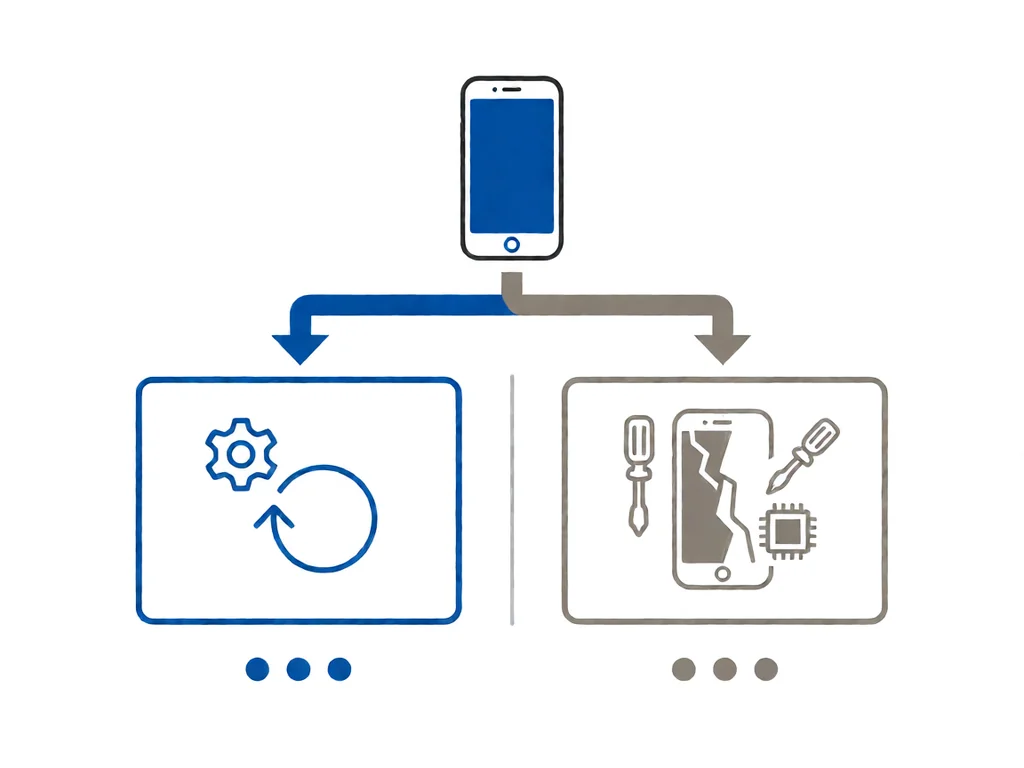
On an iPhone, connect to a computer, open Finder or iTunes, and put the phone into recovery mode. If the recovery screen responds to touch normally, the problem is in the operating system or a third-party app, not the hardware. If the recovery screen also has dead zones, it is hardware.
On Android, the equivalent is Safe Mode. On most Android phones, hold the power button until the power menu appears, then long-press the power off option. A prompt asks if you want to reboot into Safe Mode. In Safe Mode, only the original system apps are loaded. If the touch works perfectly in Safe Mode, an installed app is interfering. If it does not, the hardware is at fault.
Another quick test is to rotate the phone. If the touch suddenly starts working again on a specific orientation, the flex cable that connects the display to the mainboard is loose or partially damaged. That is hardware, and it needs a shop.
Of these, the loose flex cable is the most common and the cheapest to fix, and it is the one that most often shows up as an intermittent problem or as a strip of dead zones along one edge. The swollen battery is the most urgent. If your phone ticks any of the symptoms in the swollen-battery list at the end of the previous paragraph, do not keep using it.
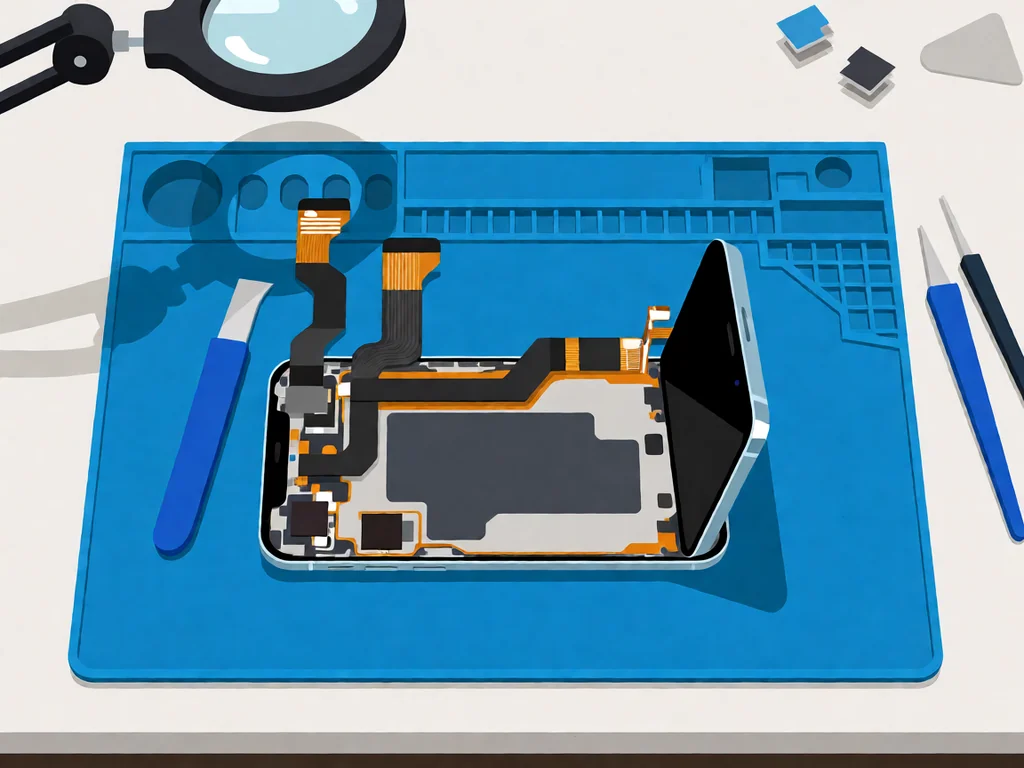
This is the most common story we see in South African repair shops. A phone gets a cracked screen replaced at a shopping-mall kiosk or a corner repair stand, and within hours or days the new screen stops responding to touch in part or in whole. The most common causes are all in the same family: the flex cable was not seated properly, the wrong screen assembly was used, or the screen is a low-quality aftermarket unit with a digitiser that does not meet the phone’s spec.
If your touch screen is not working after a recent screen replacement, take the phone back to the shop that did the work. A reputable shop will reseat the cable or replace the screen at no charge, because the issue is almost always on their end. If the shop pushes back, or if the replacement was done at a stand that is no longer there, you can take it to another shop for a second opinion. The cost of a reseat is small. The cost of a full-screen replacement is in the next section.
For a deeper look at the difference between an original-equipment screen assembly and a budget aftermarket one, our OEM vs aftermarket phone parts guide walks through the trade-offs in detail, including what tends to fail first on cheaper screens.
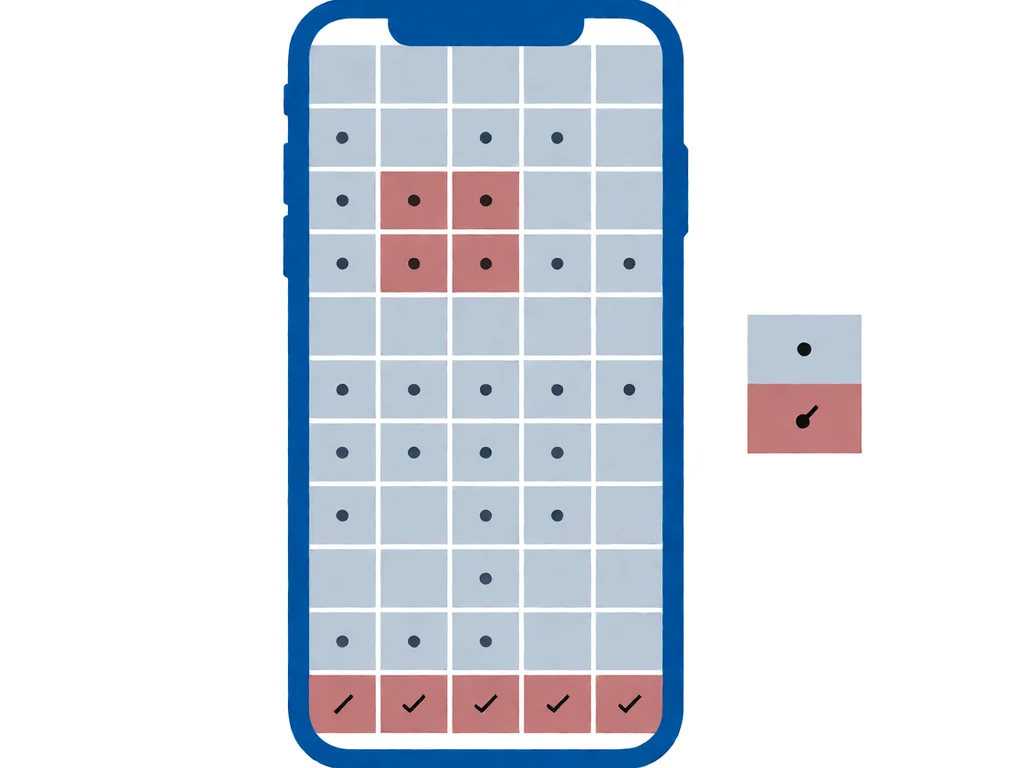
If your phone has dead zones, map them by opening a simple drawing app and dragging your finger across the entire screen. The areas where the line breaks are the dead zones. A few patterns are worth noticing.
Intermittent touch, where the screen sometimes works and sometimes does not, is the most frustrating category because it can be hard to demonstrate to a technician. Record a short video the next time it happens, with the symptoms visible, and show that to the shop. The video saves a lot of arguing about whether the phone is really faulty.
Local repair shops in South Africa typically charge a diagnostic fee between R250 and R450 to open the phone, identify the fault, and quote the rest. Many shops credit that fee back if you go ahead with the repair. Ask upfront whether the diagnostic is refundable and whether it covers the cost of reseating a flex cable if that is all it needs.
A simple flex cable re-seat or re-insertion is often the cheapest repair, sometimes included in the diagnostic fee. A full-screen assembly replacement on a mainstream phone is roughly R900 to R2500 depending on the model and whether the panel is original equipment or aftermarket. A touch controller IC repair at the board level runs into the high hundreds to a few thousand rand and is worth doing mainly on more expensive phones where the mainboard is worth saving. If you have an older phone, a screen replacement is sometimes more than the phone is worth, in which case the honest answer is to replace the phone.
If data recovery matters more than the phone itself, say so before the diagnostic. A shop that knows you want the data back will prioritise the mainboard and storage chip work and will quote that line item separately. Our phone parts catalogue lists the common replacement parts carried locally, which is useful when you are comparing what a shop has quoted against retail.
This article is general guidance based on manufacturer documentation, repair-shop experience, and the sources linked above. It is not a substitute for a professional diagnostic. If your phone is under manufacturer warranty, opening it will void that warranty. Stop work and seek a qualified technician if the phone shows any sign of battery swelling, overheating, or chemical smell. POTATOTECH is a South African retailer of phone parts and repair tools and does not offer a phone repair service.
Why is my touch screen not working, but the display is fine?
The display and the touch layer are two separate circuits in the phone. The display can paint a perfect picture while the touch digitiser, its flex cable, or the touch controller chip has a problem. Start with the 5-minute checks in this guide, and if those do not fix it, use Safe Mode or recovery mode to separate a software cause from a hardware cause.
How do I know if it is a software or hardware problem?
Boot the phone into a mode with no third-party apps. On iPhone, use recovery mode via a computer; on Android, use Safe Mode. If the touch works perfectly in that mode, the problem is software. If it does not, the problem is hardware. A re-seating of the display flex cable fixes a large share of hardware cases.
Can a screen protector cause touch problems?
Yes. A cheap or poorly fitted tempered-glass screen protector can interfere with the digitiser, especially around the edges, and can create dead zones. Try removing the protector and retesting. If the touch works without it, the protector was the cause. Replace it with a higher quality one or skip it.
Why did touch stop working after my screen was replaced?
The most common reason is a flex cable that was not seated properly during the replacement or a low-quality aftermarket screen with a digitiser that does not meet the phone spec. Take the phone back to the shop that did the work and ask for a reseat. If the shop will not help, a second shop can reseat or replace the assembly.
How much does it cost to fix an unresponsive touch screen in South Africa?
A diagnostic in South Africa is typically R250 to R450, often credited back to the repair. A simple flex cable reseat may be included in the diagnostic. A full-screen assembly replacement runs from R900 to R2500 depending on the model and panel quality. A mainboard-level touch controller IC repair is several hundred to a few thousand rand, worth doing mainly on higher-value phones.
Can I fix a dead zone on my touchscreen myself?
If the dead zone is caused by a flex cable that has worked loose, a careful re-seat can fix it, but it requires opening the phone and handling delicate ribbon cables. If you are not experienced with phone disassembly, taking it to a shop is faster and less risky. A dead zone caused by a damaged digitiser or a swollen battery is not a home fix, and the latter is a safety issue.
Most cracked phone panels don’t come from a shaky hand. They come from the wrong temperature. Heat the adhesive too little and the glass fights you until it snaps. Heat it too much, or in one spot, and you cook the panel underneath instead — which is how “repair” turns into “replace”. This guide is […]

You tap an app and nothing happens for ten seconds, then the whole screen freezes mid-animation. You wait, you tap again, the phone buzzes once and sits there. Sometimes a restart clears it for a day, sometimes it freezes again as soon as you open WhatsApp, and sometimes it started after an update or when […]

You open Maps or your taxi-hailing app, and the blue dot never settles, or it places you three streets away. You stand outside with a clear sky above you, and the phone still takes minutes to lock on, or it locks on and then drops your position into the middle of a field. Sometimes the […]