
You drop your phone in the toilet, the kitchen sink, a swimming pool, a puddle, or a glass of water. For a few seconds you watch it sink, or you fish it out dripping. Your first instinct is usually one of three things: blow-dry it, bury it in rice, or plug it in to see if it still works. All three of those instincts can quietly kill a phone that would otherwise have recovered.
This guide is for the first 24 hours after a water-damaged phone in South Africa. It is built around what we have seen in real local repair shops, what the manufacturer documentation actually says, and what the iFixit liquid-damage guidance recommends. The goal is straightforward: give your phone the best chance of drying out without shorting anything, and tell you clearly when to stop doing it yourself and take it to a shop.
Inside any smartphone, the components that fail first are not the screen and not the camera. They are the connectors between the mainboard and the battery, the charging port, and the small capacitors near the power management chip. If those stay wet while current flows through them, they corrode within hours. If they dry first and stay dry, many phones come back from a dunking without permanent damage.
So the first minute is not about drying. It is about stopping current and getting water out of the openings. Here is the order:
If the phone went into seawater, a pool with chlorine, or any liquid other than clean tap water, rinse it briefly with clean fresh water first, then drain. Salt and chlorine corrode metal far faster than pure water, and a fast rinse is less harmful than leaving salts to crystallise inside the phone.
Putting a wet phone in a bowl of uncooked rice is one of the most persistent myths in consumer electronics. The idea is that the rice absorbs moisture. It does, but very slowly, and only the moisture that reaches the rice. The problem is that the moisture you care about is sealed inside the chassis, behind gaskets, in contact with the mainboard, and nowhere near the rice.
A teardown analysis by iFixit has shown that phones left in rice for 48 hours still had water pooled under shields and inside display assemblies. The starch dust from the rice also got into ports and speakers, leaving residue that was harder to clean than the original water. Rice is at best inert and at worst a source of new debris.
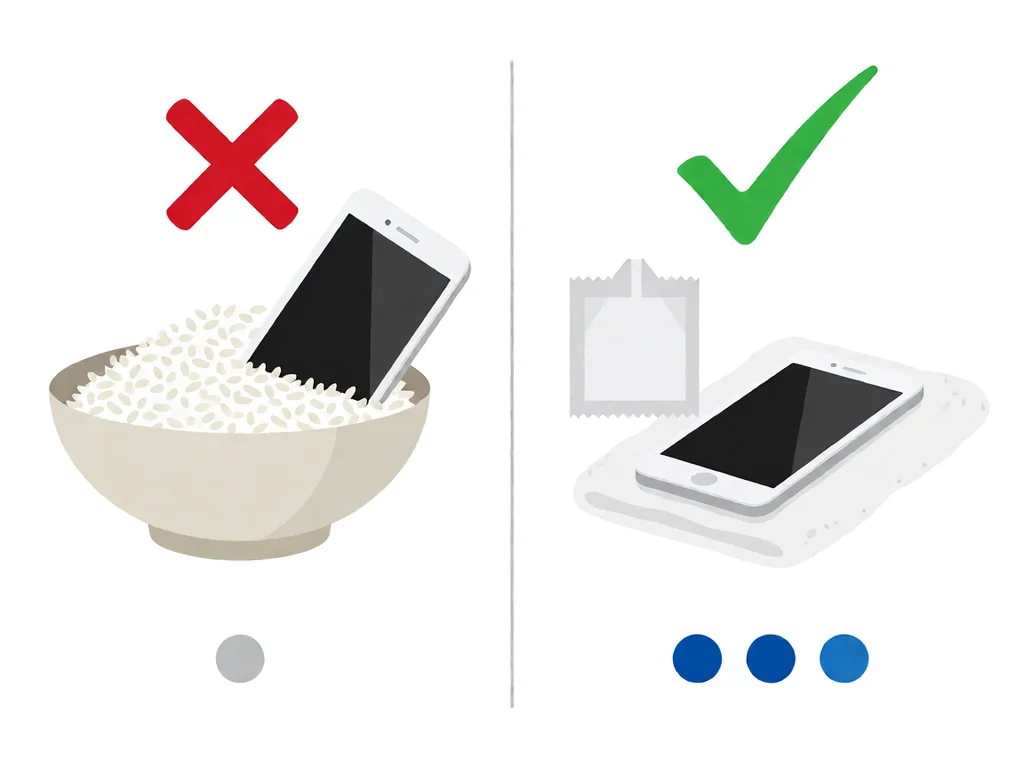
What works in roughly this order of usefulness:
There is no shortcut past time. Water trapped under a BG A chip under the display backlight needs at least 24 hours to evaporate through the seams, and often 48 hours for a thorough job. The temptation to test the phone after an hour is what kills the most devices. Resist it. Here is what the day-by-day looks like.
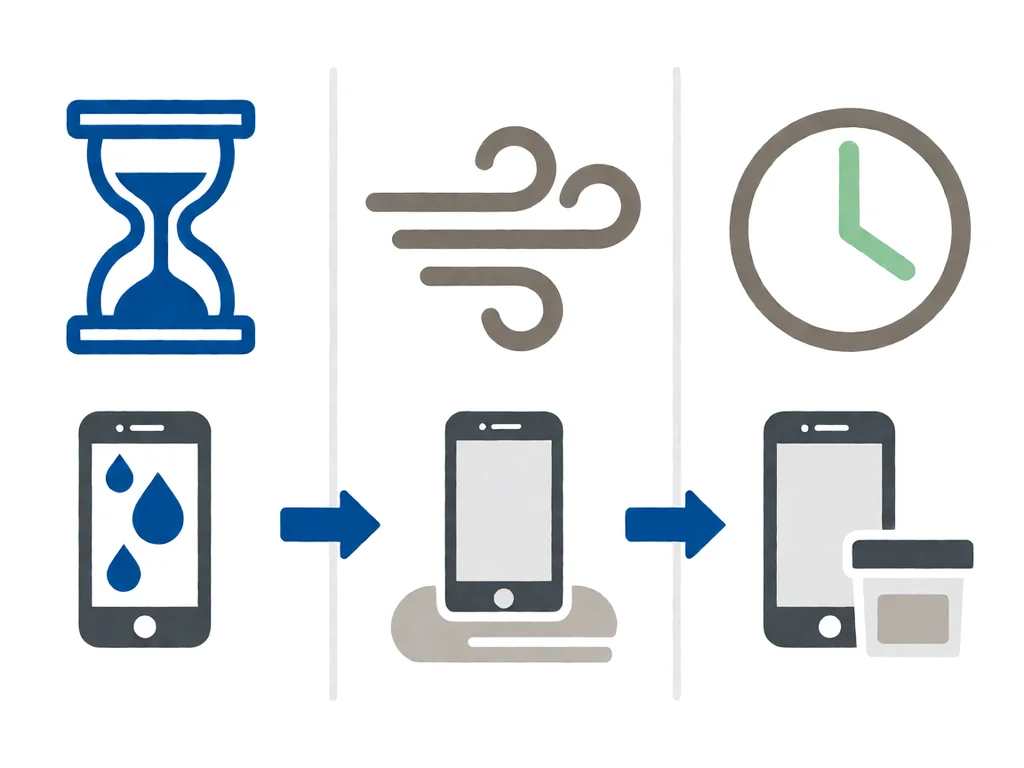
Follow the first-minute list above. Wipe down, drain ports, and leave the SIM tray out. Set the phone screen-down on a dry microfibre cloth on a flat surface. Do not put it in rice. Do not plug it in.
Place the phone and several silica-gel packs in a sealed zip-lock bag or airtight plastic container. Squeeze out excess air. Leave it in a warm, dry spot, not in direct sunlight. Do not open the bag to check.
If you must look, open the bag in a dry room, feel the cloth for any dampness, and look into the ports with a torch. If you see condensation or feel moisture, reseal with fresh silica gel. If everything looks dry, you can move to the next step.
After at least 24 hours, in a low-humidity room, press and hold the power button. If the phone boots, watch the screen for colour shifts, flickering, or lines. Test the speaker by playing music. Test the charging port by plugging in for a few minutes, then unplugging and inspecting the cable tip for any sign of moisture or residue.
If the phone does not turn on after 48 hours, do not keep trying. The battery may be deeply discharged, or a component may have shorted. Either way, a professional diagnostic is the next step, and it should be the next step quickly, because internal corrosion is on a clock.
Not all water damage is equal. A phone that fell in a toilet for two seconds and was pulled out immediately is in a very different state from one that spent an hour in a washing machine. The symptoms give you a fair read on what is going on inside.
This is the best case. The fact that it powers on does not mean it is fine. Power it off again and run the 24-hour drying cycle. Internal corrosion can take days to weeks to show up, and the first sign is often a charging port that stops recognising cables. The early drying is what prevents that.
If the screen stays black but the phone vibrates on a charger, the display backlight or the display flex cable is wet. Leave it powered off and drying. If the screen has vertical lines, the display panel itself is likely damaged, and you are looking at a display replacement rather than a drying job. Our guide to what to do when an iPhone screen is cracked covers the panel-replacement decision in more detail.
Most often this is a deeply discharged battery, a tripped battery protection circuit, or water on the power button flex. Do not keep holding the power button. After 48 hours of drying, try once. If still nothing, hand it to a shop. We have a full walkthrough on what to do when a phone will not turn on.
This is the most common delayed symptom. The charging port detects moisture and refuses current, or the port is corroded. Both clear up either with time or with a port clean. Read more on fixing a phone that will not charge.
The speaker grille is a mesh that traps water by design. After the 24-hour cycle, play a low-frequency tone (a free app works) at moderate volume for ten minutes. The vibration ejects trapped water. If the speaker still sounds off after 48 hours, the membrane is likely corroded and the speaker assembly needs replacement.
Stop now. Put the phone in a metal container or outside on a non-flammable surface and do not charge it. A swollen lithium battery after water exposure is a fire risk. Take it to a repair shop that handles batteries, or contact your local hazardous-waste drop-off point for safe disposal.
Every modern phone has one or more liquid contact indicators, usually called LCIs. They are small stickers inside the SIM tray, the charging port, or under the display that change colour from white or silver to pink, red, or purple when they get wet. Manufacturers and repair shops use them to decide if a phone is still under warranty. So can you.
On most iPhones, the indicator is inside the SIM tray slot, visible with a torch once the tray is out. On most Samsung Galaxy phones from the last few years, you check inside the SIM tray as well. On older phones it may be behind the battery, which is not something you should open yourself.
A pink or red LCI does not automatically mean the phone is damaged. It just means liquid was present at some point, which is what you already know. It does mean that the manufacturer will treat any subsequent issue as out of warranty. For shop diagnostics it is useful because it confirms the failure is liquid-related even if the phone is now dry and looking normal.
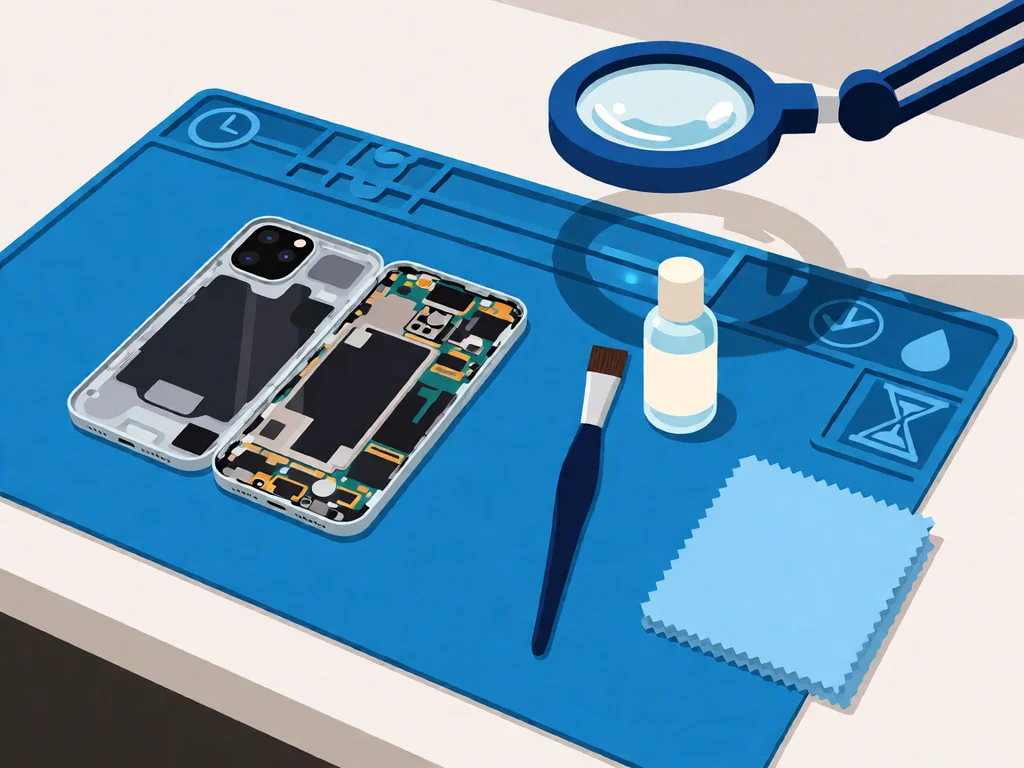
There is a clean line between what you can sensibly do at home and what a shop should do. Stop DIY when any of these apply:
What a professional repair shop will do that you cannot safely do at home is disassemble the phone fully, remove the mainboard shields, and clean the board with isopropyl alcohol and an ultrasonic bath. This is the difference between a phone that survives and a phone that fails three weeks later from slow corrosion. The parts most often damaged in water exposure are the charging port, the battery, the display, and the mainboard. The first two are usually replaceable; the mainboard is where most water-damaged phones become uneconomical to repair.
Local repair shops in South Africa typically charge a diagnostic fee between R250 and R450 to open the phone, assess the damage, and quote the rest. Many shops credit that fee back to you if you go ahead with the repair. Always ask upfront whether the diagnostic is refundable and what it covers, and ask for the quote in writing, especially the cost of parts separately from labour.
A charging port replacement on a mainstream phone runs roughly R450 to R900, including parts and labour. A battery replacement is similar. A screen replacement is usually R900 to R2500, depending on whether the panel is original equipment or aftermarket. A mainboard-level repair or full mainboard replacement is the one that can run into several thousand rand and is often the point at which it makes more sense to replace the phone, especially on older models.
If data recovery matters more than the phone itself, say so before the diagnostic. A shop that knows you want the data back will prioritise the mainboard and storage chip work and will quote that line item separately. Our phone parts catalogue lists the common replacement parts carried locally, which is useful when you are comparing what a shop has quoted against retail.
This article is general guidance based on manufacturer documentation, repair-shop experience, and the sources linked above. It is not a substitute for a professional diagnostic, and it is not a guarantee that any specific phone can be saved. If your phone is under manufacturer warranty, opening it will void that warranty, even though the manufacturer warranty rarely covers water damage anyway. Always stop work and seek a qualified technician if the phone shows any sign of battery swelling, overheating, or chemical smell. POTATOTECH is a South African retailer of phone parts and repair tools and does not offer a phone repair service.
Does putting a wet phone in rice actually work?
Not really. Rice is far less effective than silica-gel desiccant packs and sheds starch dust that ends up in ports and speakers. iFixit teardowns have shown phones left in rice for 48 hours still had water trapped under shields.
How long should I wait before charging a wet phone?
At least 24 hours, and ideally 48 hours, in a warm, low-humidity room. Use a sealed bag with silica-gel desiccant packs. Do not plug the phone in to test it, even briefly, while it is still drying.
My phone fell in water but still works — is it fine?
No. Power it off and run the 24- to 48-hour drying cycle. Internal corrosion from trapped moisture often shows up days or weeks later, most commonly as a charging port that stops recognising cables. Early drying prevents that.
Can a water-damaged phone be repaired?
Often yes, depending on the liquid and how long the phone was wet. A repair shop can disassemble the phone, ultrasonically clean the mainboard, and replace damaged components. The first three hours after the incident are the most important for the outcome.
How much does water damage repair cost in South Africa?
A diagnostic is typically R250 to R450, often credited back if you proceed. Charging port or battery replacement runs R450 to R900, screen replacement runs R900 to R2500, and mainboard-level work can run into several thousand rand. Always get the quote in writing, with parts and labour separate.
Does IP68 water resistance cover water damage?
No. IP67 and IP68 ratings mean the phone is engineered to resist fresh water for specific durations, but the manufacturer warranty does not cover liquid damage on any current consumer phone. Salt water, chlorinated water, hot water, and any pressure-driven water (showers, slides) are outside the rating.
Most cracked phone panels don’t come from a shaky hand. They come from the wrong temperature. Heat the adhesive too little and the glass fights you until it snaps. Heat it too much, or in one spot, and you cook the panel underneath instead — which is how “repair” turns into “replace”. This guide is […]

You tap an app and nothing happens for ten seconds, then the whole screen freezes mid-animation. You wait, you tap again, the phone buzzes once and sits there. Sometimes a restart clears it for a day, sometimes it freezes again as soon as you open WhatsApp, and sometimes it started after an update or when […]

You open Maps or your taxi-hailing app, and the blue dot never settles, or it places you three streets away. You stand outside with a clear sky above you, and the phone still takes minutes to lock on, or it locks on and then drops your position into the middle of a field. Sometimes the […]
4 responses