
You swipe down for the quick settings, tap the torch icon, and nothing happens. You tap it twice more; the icon turns on, but the LEDs at the back of the phone stay dark. Sometimes the torch simply does not respond at all, sometimes it turns on but the light is weaker than it used to be, and sometimes it started failing the day you had a new screen fitted or the phone took a splash. The frustrating part is that the rest of the phone works fine, which means the fault is focused on the flashlight path, not the phone itself.
Flashlight failure is one of the most common repair complaints in South Africa, because the torch LED sits on the rear camera flex – the cable that gets pinched, forgotten, or splashed when a screen or camera job goes wrong. This guide covers the 30-second resets, the software toggle and overheat causes that clear most cases, the South African triggers that catch people out (non-original screens and water in the rear camera flex), and when the LED or its flex actually needs a repair.
The torch on a modern phone is a small but very bright LED next to the rear camera lens. It shares the same flat cable that carries the camera signal to the mainboard, so the rear camera, the torch LED, and the focus sensor usually ride on one flex. A driver chip on the mainboard switches the LED on and off via a software toggle. The chain breaks in only three places: the software toggle (settings, low battery, overheat), the LED itself (burnt, dropped, water), or the flex between them (pinched, corroded, forgotten after a screen or camera job).
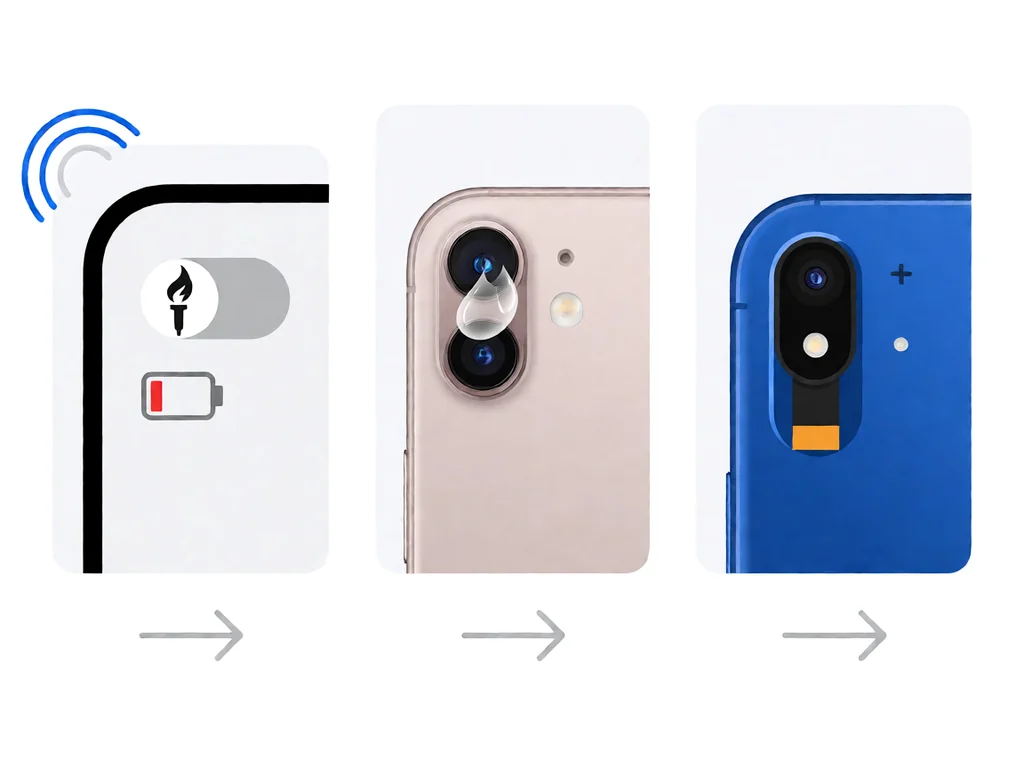
The five causes below account for most dead flashlights on South African repair benches, listed to rule them out in order.
Do the checks in order. Toggle the torch from quick settings twice to clear a stuck driver state. Force-close any camera app in the background, because the camera and the torch share the same flash driver. Charge above 20 per cent – the torch is software-locked when the battery is low. Let the phone cool if it has been hot, because a thermal lockout silently disables the LED. Finally, wipe the lens and the area around the LED with a dry, lint-free cloth, then test in a dark room.
If the torch still will not light up after those five steps, the fault is not a stuck toggle, a stale app, or a low battery. Move to the phone-side fixes below before assuming hardware.
On both Android and iPhone, the first software fix is to check the battery and temperature, because a low battery or a hot phone silently disables the torch. If the phone is cool and charged but the torch still fails, boot into safe mode on Android or restart and test before opening any camera app on iPhone, because a third-party camera or flash app can hold the driver open. Keep the phone on the latest system version, since camera and torch drivers are part of the system image and a pending update often includes a fix.
For “the torch works for a moment then turns itself off”, the cause is usually the phone dropping into a low-power state that disables the LED or a battery-optimisation setting killing the camera service. Whitelist the camera and torch process from battery saving, and if the problem started right after an interrupted update, finish or redo the update on a charger. Our guide on phone won’t turn on: what to do first in South Africa explains how a half-written system update shows up across the phone.
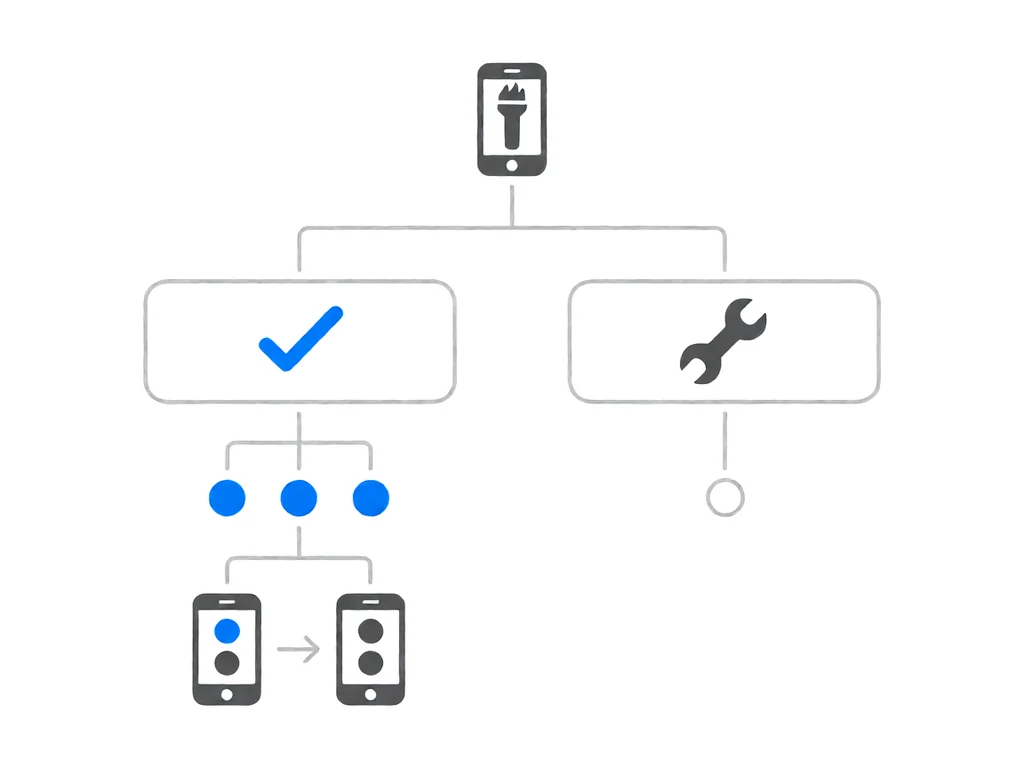
The fastest way to tell whether the fault is the LED or the rear camera flex is the camera test. Open the rear camera, switch to flash-on, and take a photo. If the flash fires in the camera app but the quick-settings torch does nothing, the LED is fine and the driver toggle is the fault – software. If the flash still will not fire but the rear camera takes photos, it is the LED or its solder pad. If both the camera and flash are dead, the fault is the rear camera flex or its connector. Our guide on phone cameras not working in South Africa covers the camera and flash side in more detail.
Two South African factors cause most flashlight failures here. The first is the non-original screen job: a replacement using a non-original panel, or rushed without a checklist, can pull the rear camera flex connector loose or shear the tiny LED pad. The phone still works, and the camera may still take photos, but the flash dies because its pad loses contact. A low-cost shop that skips reseating the rear camera flex is the most common reason a phone loses its torch the same day.
The second is water. Salt air on the coast and a splash at the pool or the beach corrode the pads on the rear camera flex where the LED is soldered. The torch fades or dies while the rest of the phone works, which is why a water-damaged phone that still makes calls often cannot light its torch. Clean the flex pads with isopropyl alcohol, and if a pad is pitted, replace the rear camera module – it carries a fresh LED on board.
A phone that had a working torch before a screen swap and lost it afterwards almost always has the rear camera flex disturbed. The flex runs along the top edge of the small bracket, and a screen job that pulls the screen off without loosening it shears the connector. The fix is to reopen the phone, reseat the rear camera flex, and refit the bracket – a quick job for the original shop. Our guide on what to do when a phone gets water damaged in South Africa covers the first 24 hours, including the rice myth that does more harm than good.
The rear camera flex sits low against the frame, so after a spill the corrosion creeps along the flex and across the LED pads. The torch fades or fails while the screen, calls, and charging still work – which is why a water-damaged phone that still works often cannot light its torch. Clean the pads with isopropyl alcohol; if one is pitted, replace the rear camera module, which carries a fresh LED on board.
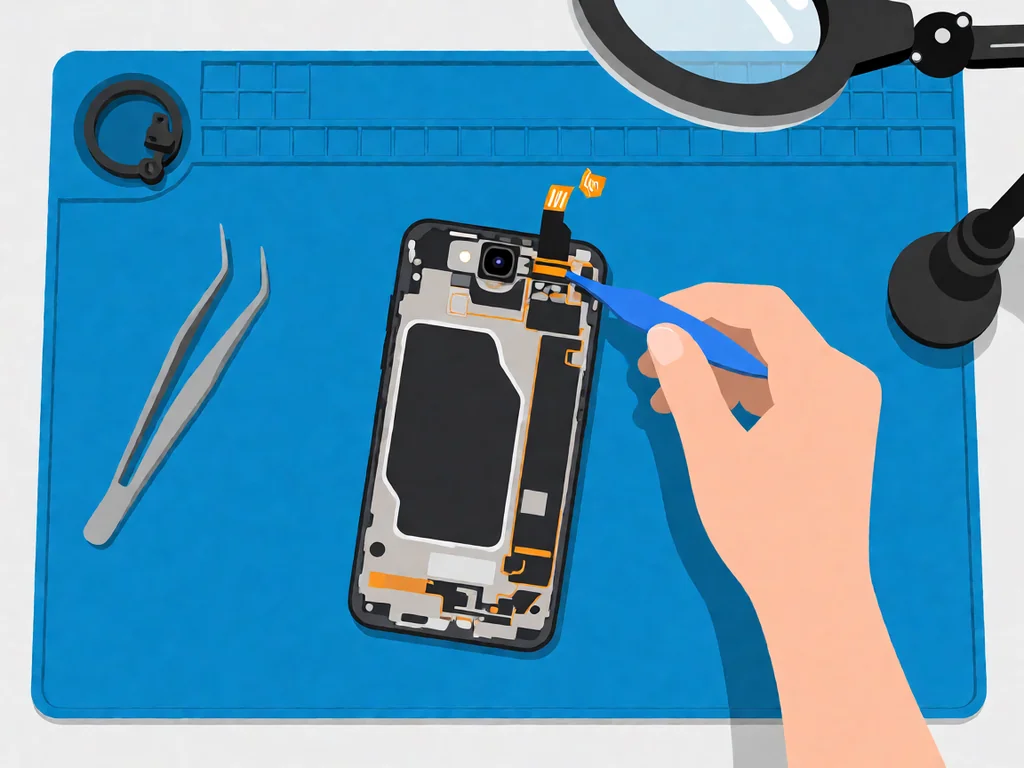
If the resets, the camera test, and a screen-repair reseat all fail, the fault is the rear camera module or its flex on the mainboard. A drop can crack the module, and corrosion or a bent connector can break the signal path. This is a board-level job: the screen is lifted, the old module or flex is unclipped, and a new one is laid down and reconnected. The part is cheap; the labour is opening the phone properly and reseating the rear camera flex without tearing it.
A phone that cannot fire the torch after a clean reset with the camera app closed is almost certainly a hardware fault, not a settings one. Settings faults stop the toggle working; a dead LED or flex keeps the torch silent in both the quick settings and the camera app.
Local repair shops in South Africa typically charge a diagnostic fee between R250 and R450 to open the phone, confirm whether the fault is software or the rear camera flex, and quote the rest. Many shops credit the fee back if you proceed with the repair.
A software-only fix, where the shop resets the torch driver or finishes a half-written update, is often just the diagnostic fee. A rear camera module replacement, which carries a fresh LED on board, needs the screen lifted and runs R400 to R900, including labour, with iPhone and Samsung on the higher end. A rear camera flex replacement, where the cable is corroded or torn, is in the same range, plus a few hundred rand if the bracket must be replaced. If a non-original screen disturbed the rear camera flex, fitting a correct compatible screen adds the screen price on top. A mainboard driver repair is the most expensive at R1200 to R2500 and is worth it mainly on higher-value phones.
This article is general guidance based on manufacturer documentation, repair-shop experience, and the sources linked above. It is not a substitute for a professional diagnostic, and it is not a guarantee that any specific phone can be saved. If your phone is under manufacturer warranty, opening it will void that warranty. Always stop work and seek a qualified technician if the phone shows any sign of battery swelling, overheating, or chemical smell. POTATOTECH is a South African retailer of phone parts and repair tools and does not offer a phone repair service.
Why is my phone flashlight not working?
Because the fault is local to the LED and its driver. The three most likely causes are a software toggle-off, a low-battery or overheat lockout, or the camera app holding the flash driver in the background. Toggle the torch twice, close the camera app, charge above 20 per cent, and let the phone cool. If it still will not light up, the cause is hardware: a dirty or damaged LED, water in the rear camera flex, or a torn flex after a screen replacement.
Why does my flashlight not work with a thick case or in hot weather?
Because the torch is software-locked when the battery drops below a safety threshold (often 15 to 20 per cent) and when the phone is too hot, to protect the LED and battery. A thick-coloured case can also block the light so you cannot see it in daylight, which looks dead when it is firing. Charge above 20 per cent, cool the phone, remove the case, and test in a dark room. If it works in the dark but not in daylight, the case was the cause.
Why did my flashlight stop working after a screen replacement?
Because the rear camera flex runs along the top edge and is held by a small bracket, and a screen job that pulls the screen off without loosening the bracket shears the connector. The fix is to reopen the phone, reseat the rear camera flex, and refit the bracket – a quick job for the original shop. If the torch died right after a repair, take it back to the shop that did the work, because the reseat is quick for them.
Why did my flashlight stop working after water damage?
Because salt air and a splash corrode the pads on the rear camera flex where the LED is soldered, and the torch fades or fails while the rest of the phone works. Open the phone, clean the flex pads with isopropyl alcohol, and if a pad is pitted, replace the rear camera module – it carries a fresh LED on board. Dry the phone outside for 24 hours before charging to stop the corrosion spreading.
How do I know if it is the LED or the flex?
Open the rear camera, switch to flash-on, and take a photo. If the flash fires in the camera app but the quick-settings torch does nothing, the LED is fine and the driver toggle is the fault — software. If the flash also will not fire but the rear camera still takes photos, the fault is the LED or its solder pad. If both the rear camera and the flash are dead, the fault is the rear camera flex or its connector on the mainboard.
How much does it cost to fix a flashlight in South Africa?
A diagnostic is typically R250 to R450, often credited back. A software-only fix is often just that fee. A rear camera module replacement, with a fresh LED on board, needs the screen lifted and runs R400 to R900, including labour, and iPhone and Samsung are higher. If a non-original screen disturbed the rear camera flex, a correct compatible screen adds the screen price on top. A mainboard driver repair is the most expensive at R1200 to R2500; it’s worth it mainly on higher-value phones.

You tap an app and nothing happens for ten seconds, then the whole screen freezes mid-animation. You wait, you tap again, the phone buzzes once and sits there. Sometimes a restart clears it for a day, sometimes it freezes again as soon as you open WhatsApp, and sometimes it started after an update or when […]

You open Maps or your taxi-hailing app, and the blue dot never settles, or it places you three streets away. You stand outside with a clear sky above you, and the phone still takes minutes to lock on, or it locks on and then drops your position into the middle of a field. Sometimes the […]
You pick up the phone to take a voice note or make a call, tap the record button, and the waveform stays flat. You speak louder, move your mouth closer to the bottom of the screen, and still nothing registers. Sometimes the microphone works in the camera app but not on a call; sometimes it […]