
You open the camera and line up the shot — and the viewfinder stays black, or the app crashes back to the home screen. If your phone camera is not working, resist the assumption that the camera itself is broken: most cases are software — permissions, a stuck process, a full storage, or a post-update bug — and they are fixed in minutes without a repair shop. This guide sorts the problem by symptom first, walks through the software fixes in the order that works, and only then deals with water, drops and hardware. By the end you will know whether this is a two-minute fix or a camera module decision.
“Camera not working” covers several different faults, and each points somewhere specific. Match yours before trying anything:

Work through these in order — each takes a minute, and together they clear the majority of black-screen and crash cases:
One more test that separates software from hardware: try the camera inside a different app — WhatsApp camera, Instagram, or a QR scanner. If the camera works there but not in the default app, the fault is that app, not the phone. This is the exact logic behind the common search camera not working but Snapchat working: when Snapchat sees the sensor is fine, the hardware is fine.
Modern phones run the front and rear cameras as separate modules on separate flex cables. If only one dies, the diagnosis narrows sharply: a single dead camera after a drop or a repair is almost always that module or its connector, not software. Toggle between front and rear in the camera app, and also test the flashlight — the flash shares circuitry with the rear camera on many models, so a flash that also refuses to fire strengthens the hardware case. Safe mode (Android) is worth a pass even here: it rules out a third-party app grabbing one camera. But if the rear camera is dead in every app, in safe mode, after a restart and updates, prepare for a module conversation rather than more settings.
Two timing patterns deserve their own section because the searches behind them are so common:
Blurry or foggy photos deserve a close look at the glass before anything else. Clean both lenses with a microfibre cloth — pocket lint and fingerprints are the number one cause of “my camera got worse overnight” — and remove thick cases and cheap lens protectors, which scatter light and confuse autofocus. If fog or a water droplet is visible behind the outer lens, moisture has reached the module: power the phone off, let it dry thoroughly, and the same no-charging, 24–48-hour drying principles apply, because corrosion inside a camera module progresses the same way.

Drops add two hardware failure modes: the camera’s flex connector works loose (intermittent or dead camera that changes when you press the back panel), or the autofocus motor and its tiny moving elements take the impact. The autofocus system in phone cameras physically moves lens elements; after a hard fall, photos that hunt back and forth without locking are a classic sign the motor was knocked. Neither of these responds to software — they are bench repairs.
Underneath it all sits the image sensor itself — the chip that actually captures light. A genuinely failed sensor shows a persistent black screen in every app on that camera, sometimes with odd striped artefacts when it is partially failing. That is a module replacement, full stop.
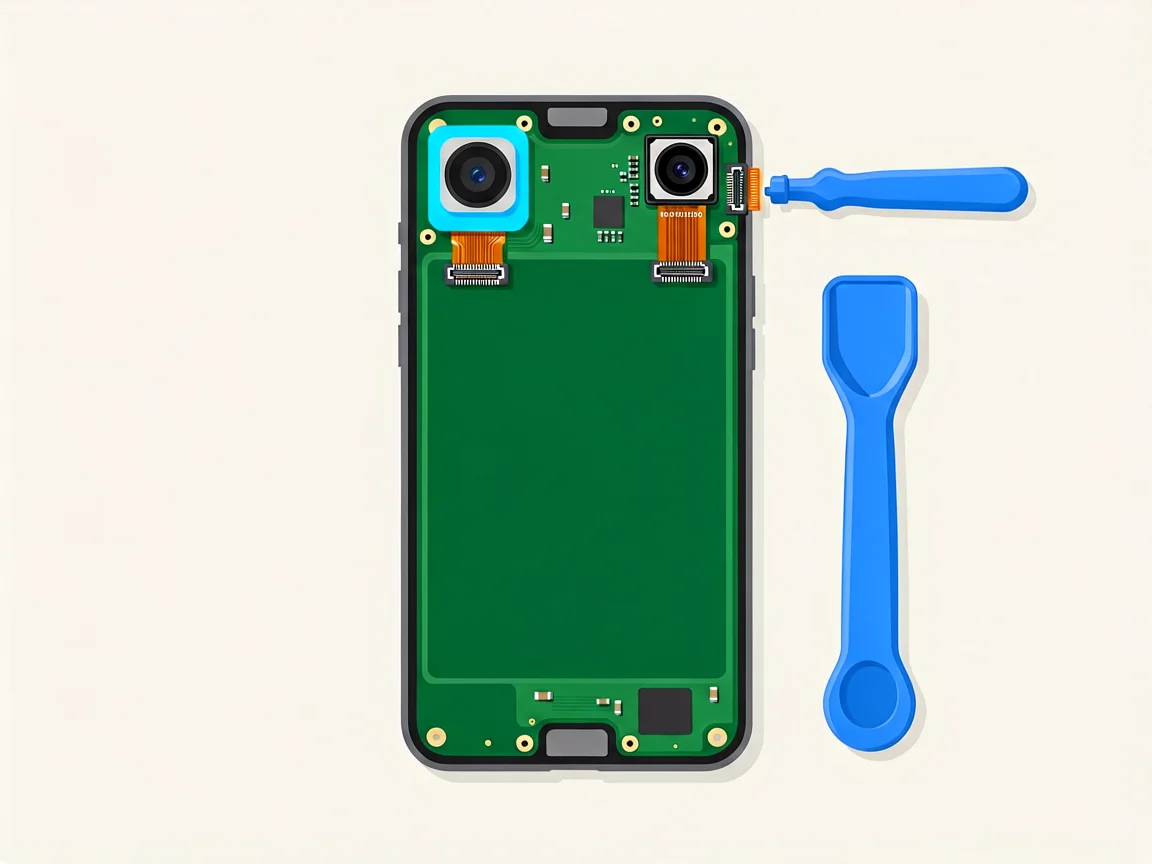
If the camera fails every software test — dead in safe mode, dead across apps, after a drop or with visible internal moisture — the module and its connector need professional eyes. The good news: camera modules are among the more affordable phone repairs, usually far below screen prices. Our camera module replacement guide walks through what the job involves and how to decide between DIY and a shop.
On South African pricing: quotes vary by shop, by model and by part grade, so always request a written quote before authorising work. This matters more for cameras than most repairs, because the SA market carries a wide spread of new, refurbished and pulled (second-hand) modules — a “cheap” quote may be a used sensor with unknown hours on it. Ask which grade the quote covers and cross-check with our OEM vs aftermarket parts guide before choosing. Most shops charge an assessment fee, commonly R250–450, usually deducted from the repair if you go ahead.
If you are considering the swap yourself: a rear camera module is a small flex-connected part, and model-specific teardowns such as iFixit’s iPhone 11 page show the exact path. But cameras sit near battery connectors on many boards, the ribbons are fragile, and a torn connector turns a small job into a board-level one — a poor choice for a first repair.
Stop the DIY path and book a bench assessment when you see:
Not sure which case is yours? use our Contact page with your phone model and what you have already tried, and we will point you in the right direction.
Why did my phone camera stop working after an update?
Updates routinely reset permissions and occasionally ship buggy camera drivers. Re-check app permissions first (Settings → Apps → Camera → Permissions on Android; Settings → Privacy & Security → Camera on iPhone), clear the camera app cache, and restart. If it’s a known bug, the manufacturer’s next hotfix usually restores it — check their support page. A camera that breaks exactly at an update is almost never hardware.
My camera shows a black screen — is it broken?
Not necessarily. A black viewfinder is most often a stuck camera process, another app holding the camera, or a denied permission: restart, close all apps, re-check permissions, and test the camera inside a different app. If it stays black in every app, in safe mode and after a restart — and especially if the flashlight also fails — the module or its shared circuitry is the likely culprit.
Why does Snapchat work but my camera app doesn’t?
Because Snapchat is reaching the camera sensor successfully — which proves the hardware works. The fault is your default camera app: clear its cache and data (Android), re-check its permissions, or reset app preferences. On iPhone, restart and update iOS, since the built-in app cannot be reinstalled separately.
The camera stopped working after a screen replacement — who fixes that?
The shop that did the screen. A rushed swap can leave the camera’s flex connector half-seated or smear adhesive over the lens. Return with the fault demonstrated — test both cameras and the flashlight before leaving any repair counter. If the shop is not reachable, a bench assessment (typically R250–450, usually deducted from the repair) will confirm a re-seated connector versus a damaged module.
How much does phone camera repair cost in South Africa?
Camera modules are generally cheaper than screens, but quotes vary by model and part grade — new, refurbished and pulled modules all circulate locally at very different prices, so request a written quote and ask which grade it covers. Assessment fees of R250–450 are common and usually deducted from the repair if you proceed. Compare two quotes for anything beyond a routine module swap.
Can a water-damaged camera be repaired?
Often yes, if it is opened and cleaned promptly. Fog behind the lens may clear with thorough drying (24–48 hours, powered off, no charging), but corrosion inside the module keeps spreading after the phone “seems fine”. If photos stay foggy or the camera is dead after drying, professional cleaning — or a module replacement — is the realistic path.
More from our Phone Repairs hub:
Disclaimer: This guide is for general information only. Repair steps carry risk; if you are unsure, consult a qualified technician. Prices and fees mentioned reflect publicly advertised ranges at the time of writing and may vary. POTATOTECH is not responsible for damage arising from DIY repairs.
Most cracked phone panels don’t come from a shaky hand. They come from the wrong temperature. Heat the adhesive too little and the glass fights you until it snaps. Heat it too much, or in one spot, and you cook the panel underneath instead — which is how “repair” turns into “replace”. This guide is […]

You tap an app and nothing happens for ten seconds, then the whole screen freezes mid-animation. You wait, you tap again, the phone buzzes once and sits there. Sometimes a restart clears it for a day, sometimes it freezes again as soon as you open WhatsApp, and sometimes it started after an update or when […]

You open Maps or your taxi-hailing app, and the blue dot never settles, or it places you three streets away. You stand outside with a clear sky above you, and the phone still takes minutes to lock on, or it locks on and then drops your position into the middle of a field. Sometimes the […]