
You put the phone to your ear, say hello, and all you get back is silence. The caller is there — you can see the timer running — but their voice has vanished. If your phone speaker is not working, you are not alone: it is one of the most common faults South African phone owners search for and one of the few that can often be fixed at home in under ten minutes. This guide walks you through the problem in the order that actually works: first work out which speaker has failed, then rule out the software causes, then deal with dust, water and drops. By the end you will know whether this is a five-minute fix, a replacement part, or a job for a repair shop.
Every modern smartphone has at least two separate sound outlets, and mixing them up is the fastest way to misdiagnose the fault:
This distinction matters because the fixes are completely different. If nobody on a call is audible but music plays fine, your loudspeaker is healthy and your ear speaker is not working. If videos are silent but calls are normal, it is the other way around. Run this test before anything else: play a song out loud, then make a test call to a friend or your own voicemail. Note which of the two fails — everything in the rest of this guide branches off that answer.
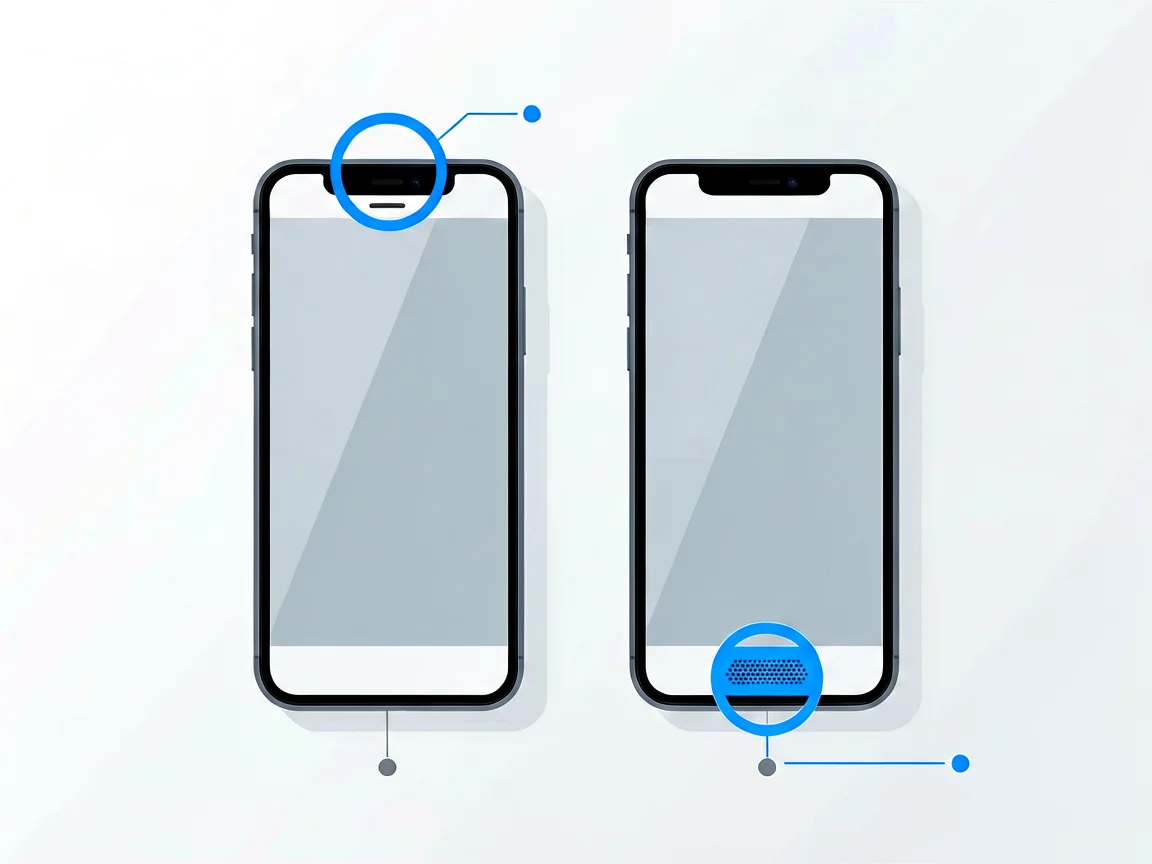
One more variant worth naming: if the person you are calling cannot hear you, that is a microphone problem, not a speaker problem. The diagnosis path is similar (grilles, water, drops), but the parts are on the other side of the phone. Our guide to a phone charging port not working covers the same “port and grille” family of faults at the bottom edge, where microphones usually live too.
Before blaming hardware, rule out the boring causes. These account for a surprising share of “my phone speaker is not working” cases, and they cost nothing to try:
If all five checks pass and the speaker is still silent, move on to the two most common software culprits below.
Here is the single most overlooked cause of “no sound on my phone”: the phone believes it is playing through a Bluetooth device that is no longer there. Search data shows this exact confusion — people typing no sound on a phone when connected to Bluetooth or AirPods connected but no sound on the phone. The audio is not lost; it is being routed to your car, your earbuds in a jacket pocket, or a speaker you paired with last week.
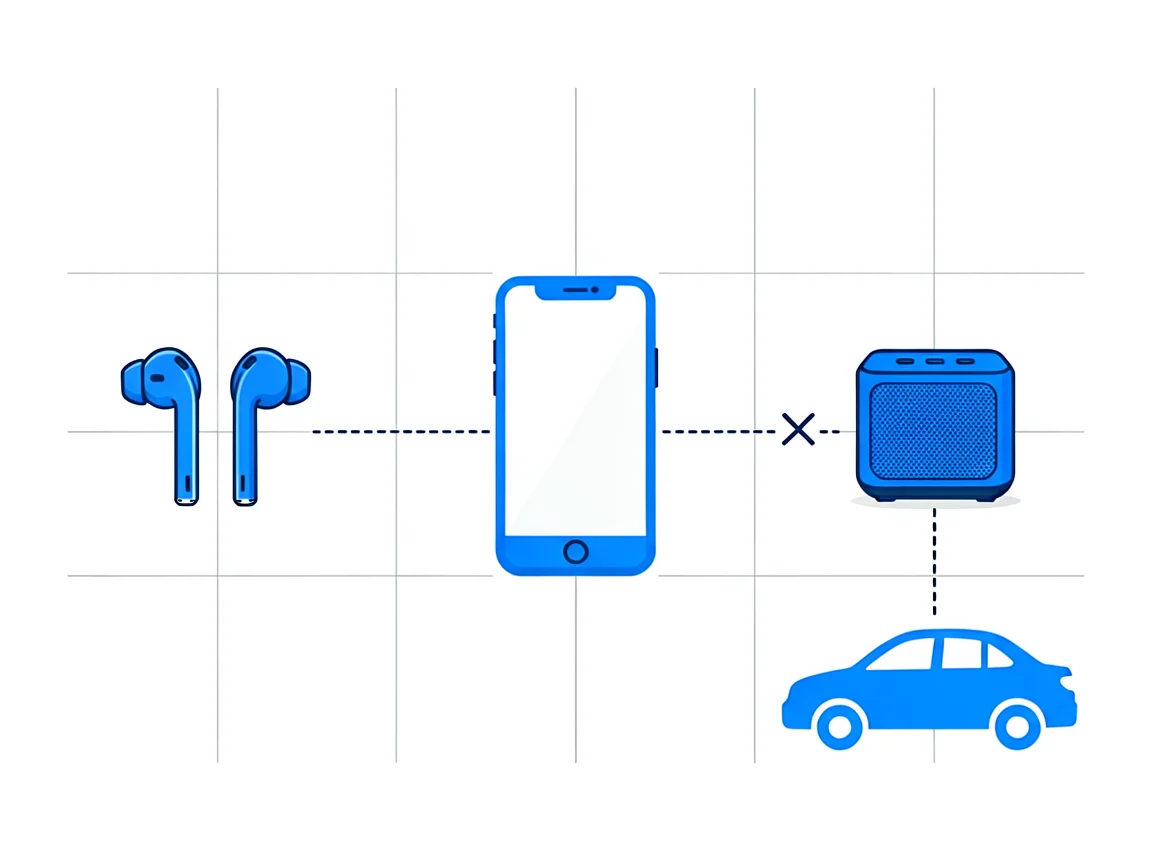
The fix is a full Bluetooth reset rather than a quick toggle:
Related symptom: headphones connected but no sound on phone, with no headphones plugged in. This is “headphone mode stuck”—the phone thinks wired headphones are still inserted because the jack or USB-C port detects moisture, dust or a damaged connector. The tell-tale sign is a headphone icon stuck on screen. Gently clean the port (dry brush, no metal), let it dry if moisture is suspected, and the icon usually clears on its own. If your port is genuinely faulty rather than dirty, the charging port guide covers that repair in depth.
If the speaker died immediately after a system update, an audio setting was probably reset, or a new feature is routing sound elsewhere. Check that the ringtone and media volume are still where you left them; disable any new “adaptive sound” or “Dolby Atmos” style enhancement (these occasionally conflict with equaliser apps); and re-check Bluetooth routing, because updates routinely re-enable paired devices. A final restart after the update finishes indexing also resolves many cases. If the update broke the sound system-wide, the next OS patch usually fixes it — check your manufacturer’s support page for known issues.
Settings accumulate. Equaliser apps, accessibility volumes and notification profiles can silence a speaker while looking normal. On Samsung: Settings → Sounds and vibration → Volume, and check “Media volume limit”. On iPhone: Settings → Sounds & Haptics, plus Accessibility → Audio & Visual for mono audio and volume limits. On stock Android: Settings → Sound. These resets take two minutes and solve the “volume is up but still silent” puzzle more often than any hardware fix.
Speaker grilles are a magnet for debris, and South African conditions make it worse: inland cities like Johannesburg and Pretoria run dry and dusty for months, and fine dust packs into the mesh until volume fades to a whisper. Coastal homes in Durban and Cape Town add humidity and salt air, which corrode the mesh and the seals around it. The symptom is distinctive: sound gets quieter and more muffled over weeks, rather than dying instantly.
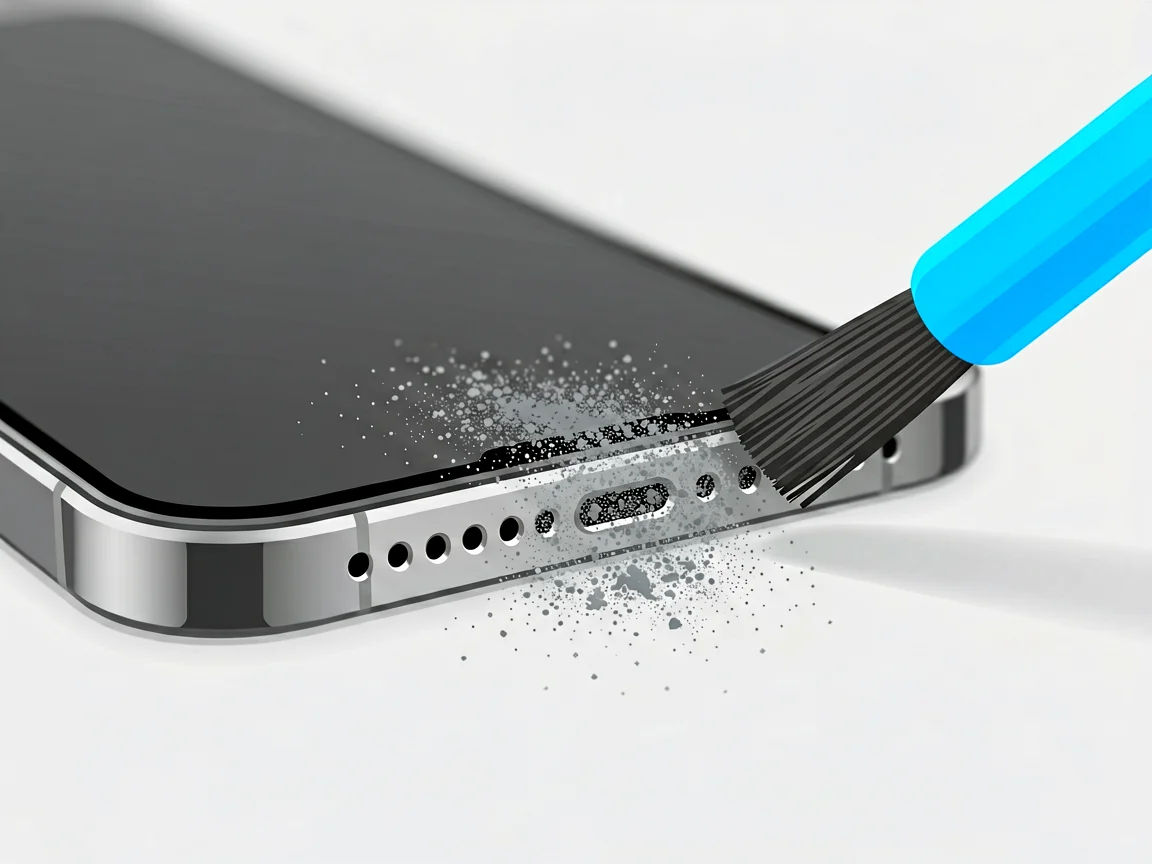
Cleaning is safe and effective if you follow the rules. Use a soft-bristled brush (a clean, dry toothbrush works) with short strokes across the mesh, holding the phone so gravity drops debris out rather than in. A strip of masking tape pressed lightly over the grille lifts fine dust. You can use a small amount of isopropyl alcohol on the brush — but never pour liquid onto the phone, and never use pins, needles or compressed air at close range: pins puncture the mesh, and high-pressure air drives moisture and debris inward or damages the diaphragm. Clean both the bottom-edge loudspeaker grille and the top ear speaker slit, then test.
Searches like phone speakers not working after water and no sound after the phone got wet spike every rainy season. Water affects speakers in two stages: immediately, moisture shorts contacts or beads across the diaphragm (crackly, distorted or silent sound); over the following weeks, corrosion eats the contacts even if the phone “dried out” and seemed fine.
Do these in order:
Note on water resistance: modern phones carry IP ratings (IP67, IP68), which describe fresh-water immersion under lab conditions — not pool water, seawater or soapy water, and not a seal that has aged. The rubber gaskets behind those ratings degrade with heat and years of use, which is why a four-year-old “water resistant” phone can be flooded by a rain shower. The IP code system is worth understanding so you know exactly what protection you actually have — and what you do not.
Drops kill speakers in two ways: impact can crack the module’s solder joints or dislodge its connector, and a bent frame can pinch the flex cable carrying the signal. If sound died the moment the phone hit the ground, the speaker module itself is the likely casualty — software fixes will not revive it.
The second pattern deserves attention in South Africa: sound failing after a screen replacement, particularly at informal or non-specialist shops. The ear speaker on many phones sits directly behind the screen assembly; during a swap, its flex cable must be reseated and its seals refitted. A rushed job leaves the connector half-seated or the mesh blocked by adhesive. Practical advice: when you collect a repaired phone, test the call earpiece, the loudspeaker and the microphone before you leave the counter — not three days later at home. If the repair killed your speaker, knowing the fault appeared before you drove off makes that conversation with the shop an easy one.
If you have cleared software causes, cleaned the mesh, dried the phone and the speaker is still silent — or the sound is crackling at every volume — the module has failed and needs replacement. The good news: loudspeakers and ear speakers are among the more affordable phone repairs, because they are small modules connected by a single flex cable, unlike screens or batteries.
On pricing: quotes vary by shop, by model and by part type, so always request a written quote before authorising work. Ask explicitly whether the quote includes labour and what warranty applies to the replacement. For how module repairs fit into DIY, our phone camera module replacement guide walks through the same architecture — a flex-connected module behind the frame.
Can you replace a speaker yourself? If you have replaced a battery or a screen before, a loudspeaker module is within reach: the job typically needs a small Phillips and pentalobe driver, a plastic pick and patience with ribbon connectors. The repair guides on iFixit’s iPhone device pages show the exact steps per model. If you have never opened a phone, though, a speaker is a poor first repair — it sits near the battery connectors on many models, and a torn flex cable turns a small job into a bigger one. Before attempting any opening, make sure you actually have the right equipment; our essential phone repair tools guide lists the minimum kit.
Some symptoms should stop you from going further at home:
When you book a repair, use the SA market to your advantage: most repair shops charge an assessment fee—typically in the R250–450 range—which is usually deducted from the final repair cost if you go ahead. Ask that upfront, ask for the written quote described above, and confirm the warranty period in writing. A diagnostic visit also makes sense when you simply cannot tell whether the fault is software or hardware: an hour with a technician who can open the phone beats weeks of guessing.
Why is my phone speaker not working during calls but fine for music?
The ear speaker (earpiece) at the top has failed, while the bottom loudspeaker is healthy. Clean the top grille gently and test the speakerphone to confirm the loudspeaker works. If calls stay silent after cleaning and a restart, the ear speaker module needs replacement — a common, relatively affordable repair.
My phone speaker is not working, but headphones do — why?
Audio reaches headphones, so the software sound system works. The fault is the loudspeaker module, a blocked mesh, or a headphone mode stuck (a headphone icon stays on with nothing plugged in). Clean the mesh; if the icon is stuck, clean the port and let it dry. Silence on speaker with nothing plugged in points to a failed module.
No sound on phone after water — can it recover on its own?
Sometimes. Muffled or crackly sound often improves over several days as moisture leaves the mesh — but power the phone off, let it dry 24–48 hours before testing, and never charge it while wet. Still silent after two full days of drying means the module or its contacts have corroded and need professional repair.
How do I fix a Samsung phone speaker not working?
Check Settings → Sounds and vibration → Sound mode (not Vibrate or Mute), then Media volume and any “Media volume limit”. Reset Bluetooth fully rather than toggling it. Clean the bottom grille — Samsung’s mesh is particularly dust-prone. Restart, then run Samsung Members diagnostics (Settings → Battery and device care → Diagnostics), which plays test tones through each speaker.
How much does speaker repair cost in South Africa?
It depends on the model and whether parts are original or aftermarket, so request a written quote covering part and labour. Most shops charge an assessment fee — commonly R250–450, usually deducted from the repair if you proceed. A loudspeaker module is generally one of the cheaper phone repairs on most models. Compare two quotes for anything above a routine part swap.
Can I clean my phone speaker myself without damaging it?
Yes — with a dry, soft-bristled brush and short strokes, holding the phone so debris falls out; masking tape lifts fine dust. Use a trace of isopropyl alcohol on the brush, never poured on the phone. Never use pins, needles or close-range compressed air: they puncture the mesh or drive debris and moisture inward, turning a cleaning job into a replacement.
More from our Phone Repairs hub:
Questions about your specific model? use our Contact page and we will point you in the right direction.
Disclaimer: This guide is for general information only. Repair steps carry risk; if you are unsure, consult a qualified technician. Prices and fees mentioned reflect publicly advertised ranges at the time of writing and may vary. POTATOTECH is not responsible for damage arising from DIY repairs.
Most cracked phone panels don’t come from a shaky hand. They come from the wrong temperature. Heat the adhesive too little and the glass fights you until it snaps. Heat it too much, or in one spot, and you cook the panel underneath instead — which is how “repair” turns into “replace”. This guide is […]

You tap an app and nothing happens for ten seconds, then the whole screen freezes mid-animation. You wait, you tap again, the phone buzzes once and sits there. Sometimes a restart clears it for a day, sometimes it freezes again as soon as you open WhatsApp, and sometimes it started after an update or when […]

You open Maps or your taxi-hailing app, and the blue dot never settles, or it places you three streets away. You stand outside with a clear sky above you, and the phone still takes minutes to lock on, or it locks on and then drops your position into the middle of a field. Sometimes the […]