
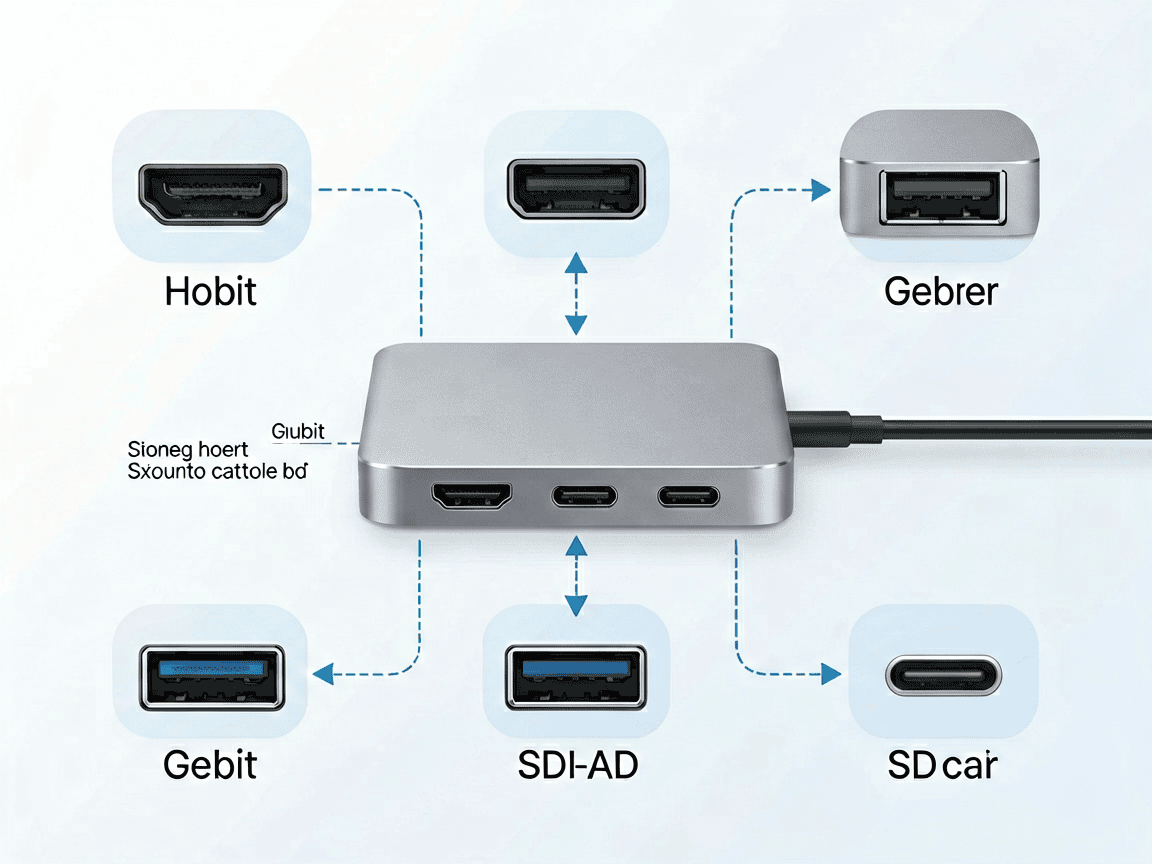
A USB-C hub is the fastest way to undo one of the most annoying trends in modern laptops: the slow disappearance of ports. If you own a thin notebook in South Africa — a MacBook, a Dell XPS, a Lenovo IdeaPad, or one of the many import brands on Takealot and Makro — you probably have one or two USB-C ports and almost nothing else. Plug in a USB-C hub and suddenly you have HDMI for a second screen, USB-A for your mouse, an SD slot for your camera, and power delivery to keep the laptop charged.
This guide is written for South African buyers specifically. We factor in local realities — load shedding, the mix of fibre, LTE and ADSL connections, the popularity of 24-inch and 27-inch monitors, and the fact that most of us shop in rands and want gear that actually ships from a local warehouse. By the end you’ll know whether you need a powered or bus-powered hub, which ports matter, and which of our own picks fits your setup.
A USB-C hub is a small adapter that plugs into a single USB-C port and splits it into several useful connections. The USB-C port on most modern laptops carries more than just data — it can carry video (DisplayPort Alt Mode), power (USB Power Delivery), and fast data at the same time. A good hub takes that one port and gives you back the things laptop makers removed to save millimetres.
Think of it as a portable dock. Where a full docking station sits on your desk and weighs half a kilo, a hub is pocket-sized and travels with you. For a country where many of us work from home part of the week and hot-desk or study the rest, that portability is the whole point.
Local conditions shape what you actually need from a hub. The three that come up most often:
This is the decision that catches most first-time buyers out. A bus-powered hub draws all its power from the laptop’s USB-C port. A self-powered hub has its own adapter and can charge devices or run hungry peripherals independently.
| Feature | Bus-powered | Self-powered |
|---|---|---|
| Power source | From the laptop | Own power adapter |
| Best for | Mouse, keyboard, flash drive | External drives, charging phones, multiple devices |
| Charges the laptop? | No (uses laptop power) | Yes, with PD pass-through |
| Portability | Excellent — no cable | Good — needs adapter |
| Typical SA price band | R150 – R400 | R400 – R900 |
Rule of thumb: if you only want to add a mouse and a memory card reader, a bus-powered hub is perfect. If you plan to run an external hard drive, charge your phone, and power the laptop from one cable, get a powered hub with PD.
Most of your existing gear is still USB-A — wireless mouse receivers, older flash drives, and printers. So the hub itself should offer at least two USB-A ports. The connection to your laptop is USB-C (that’s the whole point), but the outputs matter more than the input.
drive – 5. Pay attention to USB version. USB 3.0 / 3.2 Gen 1 runs at 5 Gbps and is plenty for drives and accessories. If you move large video files between an SSD and your laptop, look for USB 3.2 Gen 2 (10 Gbps) on at least one port. For everyday South African use – documents, photos, and a backup drive – 5 Gbps is more than enough.

You want HDMI (for that second monitor), Gigabit Ethernet, two USB-A ports, and PD pass-through so a single cable runs your whole desk. A powered 7-in-1 or 8-in-1 hub is the sweet spot here.
Light and cheap wins. A bus-powered 4-in-1 with USB-A, SD and HDMI covers lectures, library printing and the occasional projector. It rides in the laptop sleeve and never needs its own adapter.
You care about HDMI 2.0+ for high refresh, and you don’t want the hub stealing GPU bandwidth — so keep the monitor on the hub’s HDMI and the mouse/keyboard on USB-A. A low-latency wired connection beats a crowded bus.
footprint, and one cable, small footprint, PD, so you can leave the laptop brick at home. A travel adapter with built-in hub functionality (USB-C + USB-A + PD) is ideal for hopping between hotels and airport lounges.
-not-dollar We stock a small, curated range chosen for local conditions – PD for load shedding, HDMI for the monitors people actually buy here, and honest rand-not-dollar pricing.
The best all-round USB-C hub: the Dream King DK-H002 4-in-1 USB-C hub adds USB-A, HDMI and PD in a pocket-sized body — the everyday pick for most thin laptops.
Best if your laptop still has USB-A: the 4-in-1 USB-A Hub (USB 3.0 + 3× USB 2.0) is a cheap way to multiply legacy ports when you don’t need video out.
Best for audio: the USB-C to 3.5 mm audio + charging DAC brings back the headphone jack on phones and laptops that dropped it while still passing charge through.
Only if it supports USB Power Delivery (PD) pass-through and you connect a sufficiently powerful charger to the hub’s PD port. A bus-powered hub without PD will not charge the laptop.
Yes, if the hub’s HDMI port is HDMI 2.0 or better and your laptop’s USB-C supports DisplayPort Alt Mode. Match the hub’s HDMI version to your monitor’s native resolution and refresh rate.
No. A bus-powered hub easily handles low-draw accessories like a wireless mouse, keyboard and flash drive. Step up to power only when you add external drives or phone charging.
Cheap hubs can cause radio interference. A Gigabit Ethernet port on the hub gives you a stable wired alternative, and a better-shielded hub usually fixes the drop. In South Africa, where connections vary, wired is your friend during load shedding.
No. A hub is small and portable, usually bus-powered, with a handful of ports. A dock is larger, often powered, and supports more displays and devices. Pick a hub for mobility and a dock for a fixed desk.
A USB-C hub is one of the highest-value accessories you can buy in 2026 — especially in South Africa, where thin laptops, load shedding and second monitors are all common at once. Start with the ports you use daily, decide on powered vs bus-powered, and match the HDMI version to your monitor. The right hub turns a single port into a complete workspace.
Information Notice: Product prices, availability and shipping options may change. This article is for general informational purposes. For current availability, specifications or delivery details, please use our Contact Us page.
Most cracked phone panels don’t come from a shaky hand. They come from the wrong temperature. Heat the adhesive too little and the glass fights you until it snaps. Heat it too much, or in one spot, and you cook the panel underneath instead — which is how “repair” turns into “replace”. This guide is […]

You tap an app and nothing happens for ten seconds, then the whole screen freezes mid-animation. You wait, you tap again, the phone buzzes once and sits there. Sometimes a restart clears it for a day, sometimes it freezes again as soon as you open WhatsApp, and sometimes it started after an update or when […]

You open Maps or your taxi-hailing app, and the blue dot never settles, or it places you three streets away. You stand outside with a clear sky above you, and the phone still takes minutes to lock on, or it locks on and then drops your position into the middle of a field. Sometimes the […]
One Response